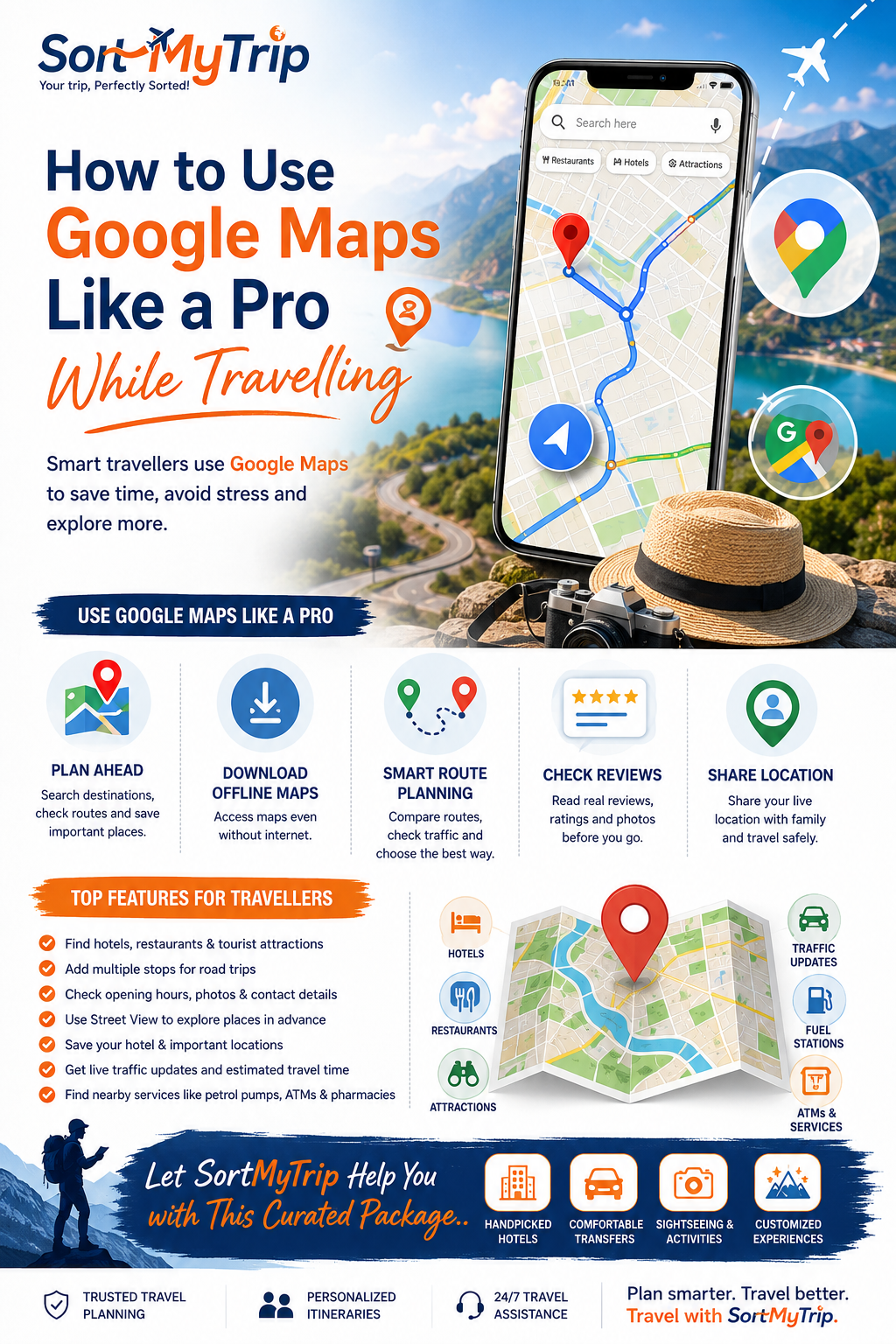
Meta Title: How to Use Google Maps Like a Pro While Travelling | SortMyTrip
Meta Description: Learn how to use Google Maps while travelling for directions, places, offline maps, routes, saved locations, traffic updates, and smarter trip planning with SortMyTrip.
How to Use Google Maps Like a Pro While Travelling
Introduction
Travelling to a new destination is exciting.
But getting lost can quickly become stressful.
This is where Google Maps can become your best travel companion.
From finding hotels to checking routes, Google Maps offers many useful travel features.
You can also use it to discover restaurants, attractions, viewpoints, fuel stations, and local experiences.
However, many travellers only use Google Maps for basic directions.
There is much more you can do.
With the right features, Google Maps can help you plan your trip, save time, reduce unnecessary travel, and explore destinations more confidently.
In this guide, SortMyTrip explains how to use Google Maps like a pro while travelling.
Why Google Maps Is Useful for Travellers
Google Maps is more than a navigation app.
It can help you with different parts of your journey.
You can use Google Maps to:
Find hotels and resorts
Check driving routes
Find restaurants
Discover tourist attractions
Check traffic conditions
Save important locations
Download offline maps
Find nearby services
Estimate travel time
Explore unfamiliar areas
Share your location
Plan multiple stops
For travellers, these features can make a big difference.
SortMyTrip recommends using Google Maps before and during your trip.
It can make your travel planning much easier.
How to Use Google Maps Before Your Trip
Good travel planning starts before you leave home.
Google Maps can help you understand your destination in advance.
1. Search Your Destination
Start by searching for your destination.
Look at the main tourist areas.
Check the distance between important places.
For example, if you are planning a Meghalaya trip with SortMyTrip, you can check distances between:
Guwahati
Shillong
Cherrapunjee
Mawlynnong
Dawki
This gives you a better understanding of the route.
You can also understand how much time you may spend travelling each day.
2. Save Important Places
One of the most useful Google Maps features is saving locations.
You can save:
Hotels
Restaurants
Airports
Railway stations
Tourist attractions
Shopping areas
Cafes
Emergency services
Create a list for your trip.
This keeps important places together.
It also saves time during your holiday.
3. Save Your Hotel Location
Always save your hotel on Google Maps.
This is especially useful when travelling in an unfamiliar city.
Before leaving the hotel, you can quickly check the route to your next destination.
You can also use the hotel location to find nearby:
Restaurants
ATMs
Pharmacies
Supermarkets
Cafes
Tourist attractions
SortMyTrip recommends checking the hotel location before booking your stay.
A well-located hotel can save both time and transportation costs.
How to Download Google Maps for Offline Use
Internet connectivity may not always be reliable.
This can happen in:
Mountains
Remote villages
Forest areas
Rural destinations
International destinations
Areas with weak mobile networks
Google Maps allows users to download maps for offline use in supported areas.
How to Download an Offline Map
Open Google Maps.
Search for your destination.
Tap the destination name.
Select the option to download an offline map.
Choose the required area.
Download the map before travelling.
Make sure the download is completed while you have a stable internet connection.
Offline maps can be especially useful during road trips.
However, some live features may not work without an internet connection.
How to Use Google Maps for Route Planning
Google Maps can help you compare different routes.
Enter your starting point.
Then add your destination.
You can check available travel options.
Depending on the location, these may include:
Car
Public transport
Walking
Cycling
Two-wheeler routes
Check the estimated travel time before starting your journey.
Check More Than One Route
Do not always select the first route.
Compare available options.
One route may be shorter.
Another may have better roads.
A third route may offer better sightseeing opportunities.
For road trips planned with SortMyTrip, route checking can help travellers understand the journey better.
How to Add Multiple Stops
Planning a road trip?
Google Maps can help you add multiple destinations.
For example:
Hotel → Waterfall → Viewpoint → Restaurant → Hotel
This is useful for sightseeing days.
You can organize your route before leaving.
It also helps you avoid unnecessary backtracking.
Plan Your Sightseeing Efficiently
Try grouping nearby attractions together.
For example:
Morning: Nearby attractions
Afternoon: Lunch and sightseeing
Evening: Sunset point
Night: Return to hotel
This can reduce unnecessary driving.
It also gives you more time to enjoy the destination.
How to Check Live Traffic
Traffic can change your travel time significantly.
Google Maps can show traffic conditions in supported locations.
Before starting your journey, check the map.
Look for traffic-heavy areas.
Then compare alternative routes.
This is particularly useful in busy cities.
For example, travellers visiting Delhi, Mumbai, Bengaluru, or Kolkata can use traffic information before leaving their hotel.
SortMyTrip also recommends keeping some extra time for traffic when planning airport transfers.
How to Find Restaurants While Travelling
Hungry while exploring a new destination?
Use Google Maps to search for nearby restaurants.
You can search terms such as:
Restaurants near me
Vegetarian restaurants
Local food
Cafes near me
Breakfast near me
Family restaurants
Restaurants near hotel
Check the available information before choosing a restaurant.
What Should You Check?
Look at:
Ratings
Reviews
Photos
Location
Opening hours
Menu information
Recent customer feedback
Do not depend only on the rating.
Read a few recent reviews too.
This gives you better context.
Use Google Maps Reviews Smartly
Reviews can help you understand a place before visiting.
However, not every review will match your expectations.
Look for repeated comments.
For example, travellers may frequently mention:
Location
Cleanliness
Service
Parking
Food quality
Crowds
Accessibility
Use this information along with your own travel requirements.
SortMyTrip recommends checking multiple sources before making important travel decisions.
Use Street View Before Visiting
Street View can help you understand an area before reaching it.
You can sometimes check:
Hotel surroundings
Road conditions
Building entrances
Nearby streets
Parking areas
Shops around your hotel
This can be helpful when visiting an unfamiliar city.
It may also help you recognize your hotel or meeting point when you arrive.
How to Share Your Location
Google Maps also allows location sharing with selected people.
This can be useful when travelling with:
Family
Friends
Groups
Travel companions
If someone is waiting for you, sharing your location can make coordination easier.
Always use location-sharing features responsibly.
How to Use Google Maps While Travelling Abroad
Google Maps can be particularly useful during international holidays.
Before travelling internationally, prepare your maps in advance.
Save important locations such as:
Airport
Hotel
Embassy or consulate
Train station
Bus station
Popular attractions
Emergency services
Also save your hotel address.
Keep the address available in your phone.
This can help when communicating with drivers or local transport providers.
SortMyTrip recommends keeping important travel information accessible offline whenever possible.
Common Google Maps Mistakes Travellers Should Avoid
Google Maps is useful.
But it should not be followed blindly.
Avoid these common mistakes.
1. Ignoring Local Road Conditions
The shortest route may not always be the best route.
Mountain roads can be narrow.
Some routes may also take longer than expected.
2. Not Checking the Final Destination
Always check where the route actually ends.
This is important for hotels, parking areas, and tourist attractions.
3. Depending Completely on Internet Connectivity
Download offline maps when possible.
4. Ignoring Travel Time
Distance does not always tell the complete story.
A short distance can still take a long time because of traffic or road conditions.
5. Not Checking Opening Hours
Always check whether an attraction or business is open before visiting.
Smart Google Maps Tips for Travellers
Here are some quick tips from SortMyTrip:
Save your hotel before travelling.
Download offline maps when required.
Check routes before leaving.
Compare alternative routes.
Save important attractions.
Check traffic before driving.
Read recent reviews.
Check opening hours.
Keep your hotel address saved.
Add multiple stops for road trips.
Share your location when necessary.
Keep backup travel information.
Small preparations can make a big difference.
Google Maps and Better Travel Planning
Google Maps can help you understand a destination.
But good travel planning requires more than navigation.
You also need to consider:
Hotel location
Travel time
Sightseeing
Transportation
Activities
Meals
Budget
Weather
Local conditions
This is where professional travel planning can help.
SortMyTrip creates curated travel packages based on destination, duration, budget, and traveller requirements.
Whether you are planning a family holiday, honeymoon, group tour, weekend getaway, or international vacation, SortMyTrip can help organize the important parts of your journey.
Why Use SortMyTrip for Your Holiday?
Planning a trip independently can take a lot of time.
You may need to compare several hotels.
Then check transportation.
Then plan sightseeing.
Then understand travel distances.
SortMyTrip simplifies this process.
Depending on your package, SortMyTrip can help arrange:
Accommodation
Transfers
Sightseeing
Activities
Meals
Customized itineraries
Travel assistance
The exact inclusions depend on the selected package.
The goal is simple.
Make your travel planning easier.
Final Thoughts
Google Maps can become one of the most useful tools in your travel kit.
Use it before your trip.
Use it during your journey.
And use it to understand your destination better.
Save important places.
Download offline maps.
Check routes.
Compare travel times.
Read reviews.
Check traffic.
But remember that Google Maps is a navigation tool.
Local knowledge and proper travel planning still matter.
With the right preparation, you can travel with greater confidence.
Let SortMyTrip Help You With This Curated Package
Planning your next holiday?
Let SortMyTrip help you create a practical and well-organized travel experience.
From hotels and transfers to sightseeing and customized itineraries, SortMyTrip can help you plan your journey with ease.
Plan smarter. Travel better. Travel with SortMyTrip.